How to post your dub on TikTok: ideas, format and tips
Parody dubs are a huge format on TikTok: a scene everyone knows, a voice that has nothing to do with it, and the contrast does the rest. If you've made a dub you're proud of on TryToAct, here's how to download it, make it vertical and post it, plus format ideas that work.
In short
To post a TryToAct dub on TikTok: at the end of your dub, click Download to get the video (with your voice and the trytoact.com watermark), then upload it to TikTok. Since most scenes are 16:9, add a background or zoom in with TikTok's editor to fill the vertical screen, and put a hook in text at the top. Formats that work: before/after, the same scene dubbed by several friends, and a completely mismatched voice. You can also publish your dub on the TryToAct feed, where one dub is picked every day for our social accounts.
Step 1: download your video
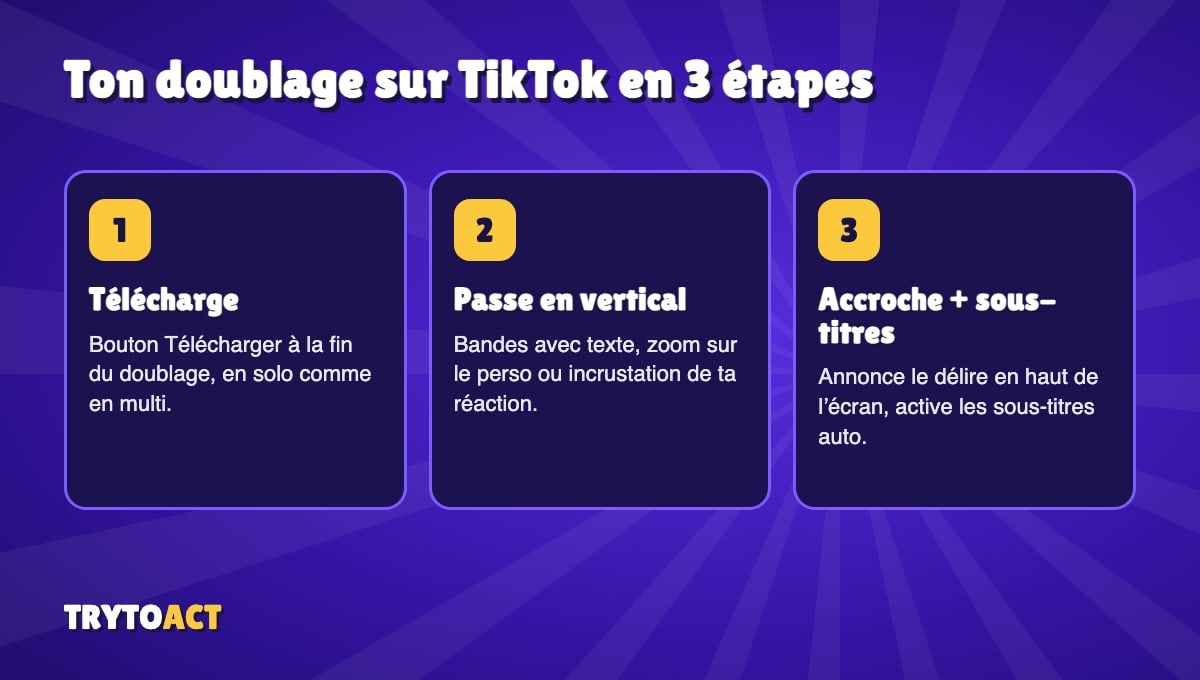
At the end of a dub, solo or multiplayer, the results screen has a Download button. You get the scene with your voice in place of the original, and the trytoact.com watermark in the picture. In co-op, every player can download the shared dub.
Step 2: make it vertical
TikTok is built for vertical video (9:16), while movie and TV scenes are usually horizontal (16:9). You have three options in TikTok's editor:
• Keep the whole video with bars above and below, which you fill with a text hook and a caption.
• Zoom in on the character who's talking, if the framing allows it.
• Add your face (green screen or picture-in-picture) to show your reaction next to the scene.
Step 3: post it with a hook
The first few seconds decide everything. Write what's about to happen at the top of the screen: "I dubbed [famous scene] in my grandpa's voice", "My friends and I on the same scene: who wins?". Turn on TikTok's auto captions: lots of people watch with the sound off, and it makes your dub's lines easy to read.
Formats that work
- The mismatched voice
A dramatic scene in a cartoon voice, or the other way around.
- Why it works
- The contrast hits instantly
- Tip
- Try the Chipmunk or Deep filters
- "Who did it best?"
The same scene dubbed by three friends, back to back.
- Why it works
- People vote in the comments
- Tip
- VS mode in multiplayer
- The before/after
A few seconds of the original, then your version.
- Why it works
- Viewers compare on the spot
- Tip
- Pick a very well-known scene
- The everyday remix
An iconic scene reworked around something from your own life.
- Why it works
- Everyone can relate
- Tip
- Rewrite the lines, keep the rhythm
- The score
Your dub with your accuracy score at the end.
- Why it works
- It makes people want to beat your score
- Tip
- Put the score in your hook
To find a scene, browse our 15 iconic scenes to dub with friends, and for the writing, follow our tips for making a funny dub.
Rules to follow
• Don't target anyone: a dub that mocks a real person, especially a private individual, can get you reported.
• Mind the copyright: TikTok can mute or remove a video that uses too much of a copyrighted work. Keep your clips short. Our rules are explained on our copyright page.
• Ask your friends first before posting their voices.
What about on TryToAct?
You can also publish your dub on the community feed (two posts a day). Every day, we pick one dub to share on our social accounts, including TikTok (@playtrytoact), and its creator gets a star on their name tag.
Frequently asked questions
How do I download my TryToAct dub?
At the end of your dub, the results screen has a Download button. The video includes your voice and the trytoact.com watermark.
My dub is horizontal. How do I make it fit TikTok?
In TikTok's editor, keep the whole video with bars you fill with text, zoom in on the character, or use green screen to show your reaction.
Can TryToAct repost my dub?
Yes. If you publish your dub on the TryToAct feed, it can be picked as dub of the day and shared on our social accounts.